Free Local Rank Checker
Can customers find your business on Google Maps?
See where you appear in local searches — and where you drop off the map. Free, no login.
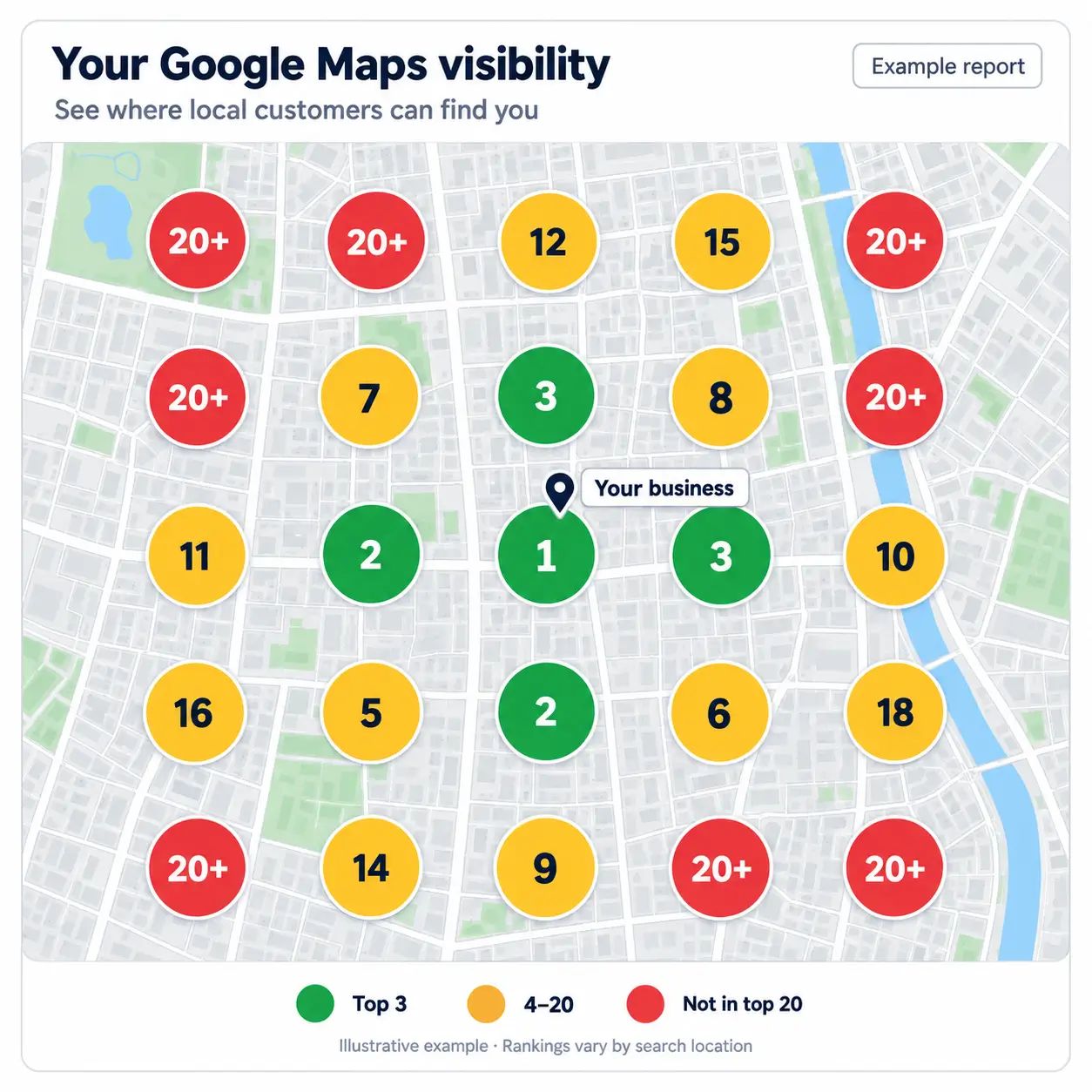
How the local rank check works
- 01
Select your Maps listing
Start typing your business name and pick the correct Google Maps suggestion so we lock the right place ID and coordinates.
- 02
Enter a keyword
Use the search term customers would type — for example “pizza” or “dentist”. You don’t need to add the city; we take that from the listing.
- 03
Read the geo-grid report
We scan rankings from multiple nearby points, then show visibility score, Local Pack rivals and areas where you disappear.
Local rank checker FAQ
What is a Google Maps geo-grid scan?
A geo-grid checks your ranking for a keyword from many nearby coordinates — not only from your business pin. That shows where you appear in the Local Pack and where you drop out.
Is the local rank checker free?
Yes. You can run a free visibility scan without creating an account. The report is based on live Google Maps visibility data; if a live scan is temporarily unavailable you still get a sample report so you can see how the tool works.
Why do I have to pick a listing from suggestions?
Selecting the correct Google Maps listing locks the place ID and coordinates. That prevents fuzzy name matches from attributing another business’s ranks to yours.
How long does a scan take?
A full 5×5 live grid typically takes 40–70 seconds because each cell is a separate Maps search. Keep the results tab open until the report appears.
Want rankings that actually move?
This free tool shows the map. Move Marketing helps with Google Business Profile, local content, citations and ongoing Local SEO in Thailand.